

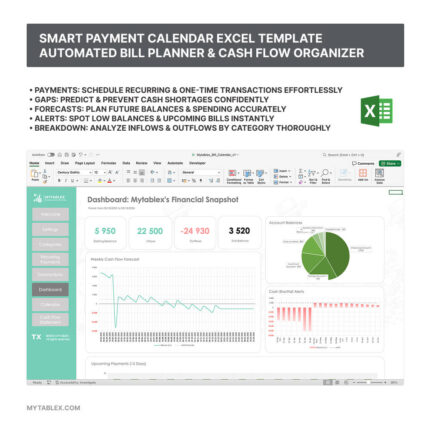
Simple Cash Flow Calculator: Excel for NPV, IRR, DPP, PI
4.99 $
A simple Cash Flow Calculator in Excel for quickly evaluating project feasibility. Automatically calculates key investment metrics (NPV, IRR, DPP, PI) and presents results in a visually appealing dashboard with clear conclusions.
This Excel-based financial model is designed for rapid project evaluation, providing an intuitive and efficient way to assess key investment indicators. With automated calculations of NPV, IRR, DPP, and PI, it eliminates the complexity of financial analysis, making it accessible to both professionals and beginners. The model features a well-structured, user-friendly dashboard that visually presents all essential data, helping you make informed investment decisions quickly. Whether you are evaluating a startup, expansion, or other financial ventures, this tool simplifies the process by delivering instant insights and automatic conclusions. Save time and gain clarity with this streamlined financial modeling solution.
STEP 1 - Filling in the input data for the financial model
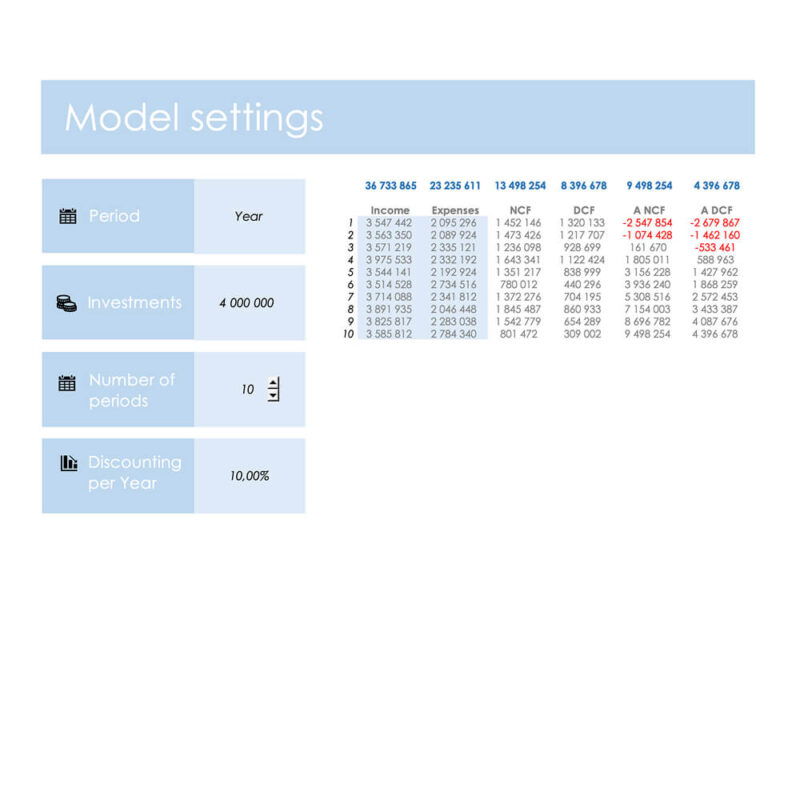
- First, you need to specify the planning period: month or year. If the project is planned for multiple years and all cash flows are annualized, select “year.” If the plan is structured on a monthly basis, choose “month.”
- Next, enter the investment cost—the total amount of funds required to launch the project. If additional investments are planned over time, they can also be included in this total amount.
- Then, specify the number of planning periods—how long do you expect the financial model to cover? This could be several months, a year, two years, five years, etc.
- Determine the discount rate. This value is often represented by the alternative return on investment. For example, if you have the option to invest funds in a bank deposit with a 10% annual return instead of the project, this rate can be used as the discount rate. If the planning period is set to months, divide the annual discount rate by 12. If it is set to years, enter it as is.
- Finally, input the cash flow plan for the selected period. Enter the data in the table below in the cells highlighted in gray. Start by modeling the revenue the project will generate and the operating expenses it will incur.
STEP 2 - Investment Evaluation
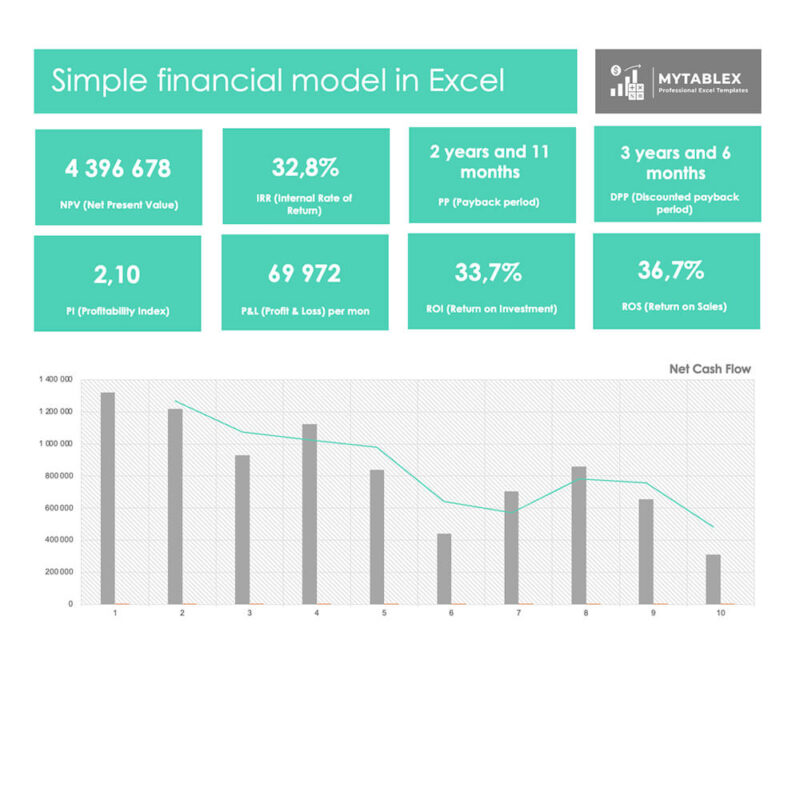
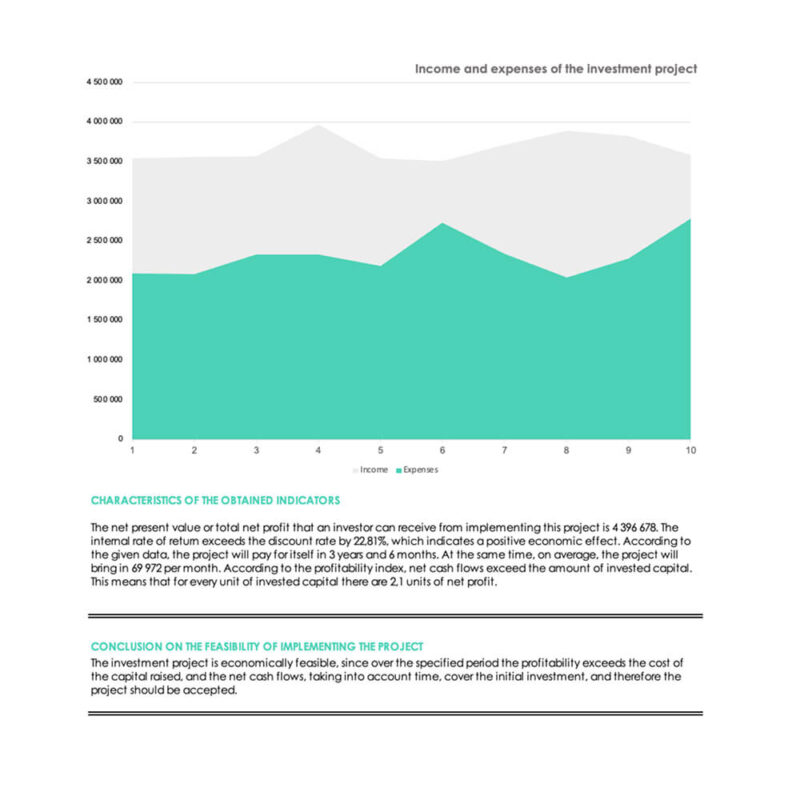
Once all the data is entered, the model will calculate key investment indicators (NPV, IRR, PI, DPP). These indicators provide a comprehensive assessment of the project’s financial viability.
- NPV (Net Present Value): Shows the difference between the present value of cash inflows and outflows. A positive NPV indicates that the project is expected to generate profit.
- IRR (Internal Rate of Return): Reflects the expected rate of return on the investment. If the IRR is higher than the required rate of return, the project is financially viable.
- PI (Profitability Index): Represents the ratio of benefits to costs, helping determine whether the investment is worth pursuing.
- DPP (Discounted Payback Period): Calculates how long it takes to recover the initial investment while considering the time value of money.
By analyzing these key indicators, you can determine whether the project is a sound financial decision. The final assessment will provide a clear conclusion on its economic feasibility, helping you make informed investment choices.
Only logged in customers who have purchased this product may leave a review.
1. Add Product to Cart
2. Fill in Your Contact Details
3. Choose Your Payment Method & Complete Payment

4. Download Your Product
Legal Information
File Details
- Format: Excel (.xlsx)
- File Size: 111 KB
- Version Compatibility: Microsoft Excel 2016 and newer
- Google Sheets Compatibility: Not compatible
- Password Protection: No password required
- Formula Visibility: All formulas are open and visible
- Macros: No macros included, only formulas
- External Data Connections: None
Support&License
- Technical Support: Available for assistance with using the model
- Usage Rights: For personal or internal company use only, redistribution or resale is prohibited
Reviews
There are no reviews yet.