

Payment Calendar Excel Template – Bill Tracker & Cash Planner
14.99 $
Organize your finances with the Payment Calendar Excel Template. Schedule bills, track income, and manage cash effortlessly to avoid cash flow gaps. Perfect for personal budgets or small business planning—keep payments on track.
Description
Take control of your finances with the Payment Calendar Excel Template – Bill Tracker & Cash Planner, a dynamic tool for seamless payment management. Whether you’re handling personal bills or running a small business, this template lets you schedule payments, track income, and prevent cash shortages by avoiding cash flow gaps with confidence. The interactive Dashboard delivers a snapshot of upcoming bills, weekly cash forecasts, and alerts for low-balance days. Monthly calendars highlight cash risks in red, while detailed reports break down every transaction. Ideal for budgeters, freelancers, or entrepreneurs, it’s your key to staying ahead of payments. Download now and streamline your financial planning!
Step 1: Input Your Starting Details
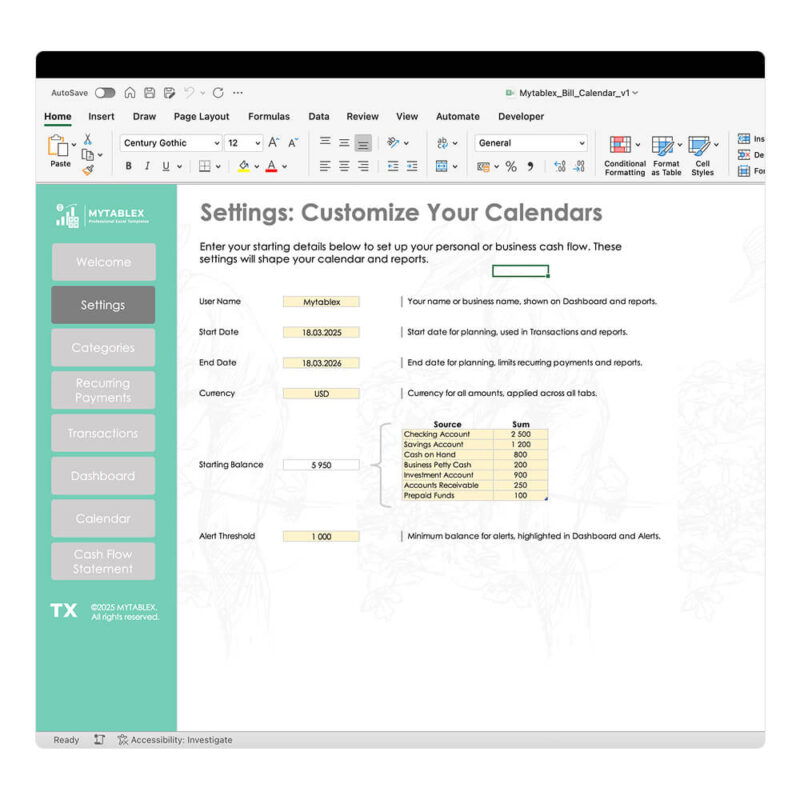
Set the stage for your payment calendar:
- Open the “Settings” tab in the Excel file.
- Enter your User Name to personalize the template.
- Set the Start Date (e.g., 03/14/2025) and End Date (e.g., 12/31/2025) for your payment timeline.
- Choose your Currency (e.g., USD) from the dropdown.
- Input your Starting Balance (e.g., $5,000) as your initial cash.
- Define the Minimum Balance (e.g., $1,000) to detect low cash days.
Step 2: Set Up Payment Categories

Define your bill and income types:
- Go to the “Categories” tab.
- Under Inflows (Income), list sources like “Salary” or “Client Payments.”
- Under Outflows (Expenses), add categories such as “Rent,” “Utilities,” or “Supplies.”
- Find the table on the right side of the “References” tab.
- Right-click it and select “Refresh” to update all tables with your categories.
Step 3: Schedule Recurring Payments

Plan your regular bills and income:
- Open the “Recurring Payments” tab.
- Select an Operation (e.g., “Inflow” or “Outflow”) from the dropdown.
- Assign a Type (e.g., “Operating”) and a Category from your references.
- Optionally, add a Description (e.g., “Monthly Rent”).
- Specify the Frequency (e.g., “Daily,” “Weekly,” “Monthly”).
- Enter the Amount (e.g., $1,200), Start Date (e.g., 03/01/2025), and End Date (e.g., 12/31/2025).
Step 4: Add One-Time Transactions
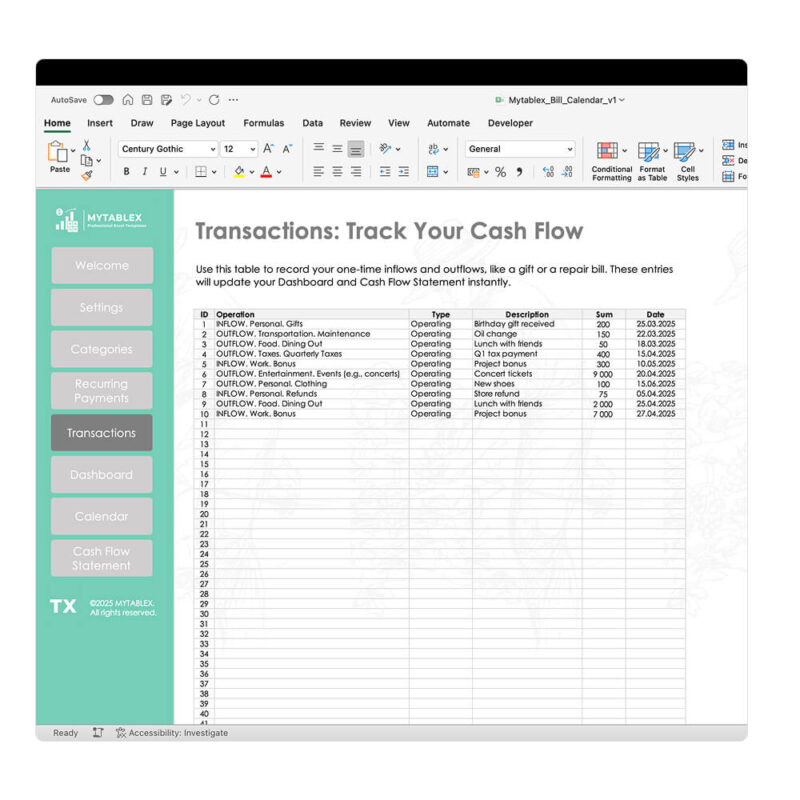
Log unique bills or payments:
- Switch to the “Transactions” tab.
- Select an Operation (“Inflow” or “Outflow”).
- Pick a Type and Category from your references.
- Include a Description if needed (e.g., “Laptop Purchase”).
- Set the Planned Date (e.g., 04/15/2025) for when it occurs.
Final Step: Refresh and Analyze Dashboard, Calendar And Cash Flow Statement
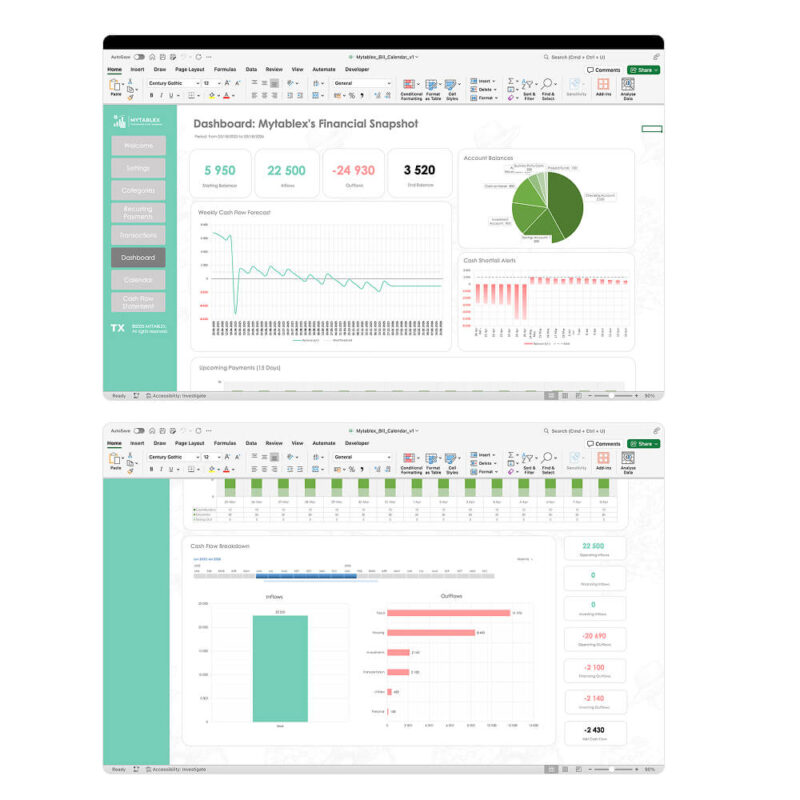
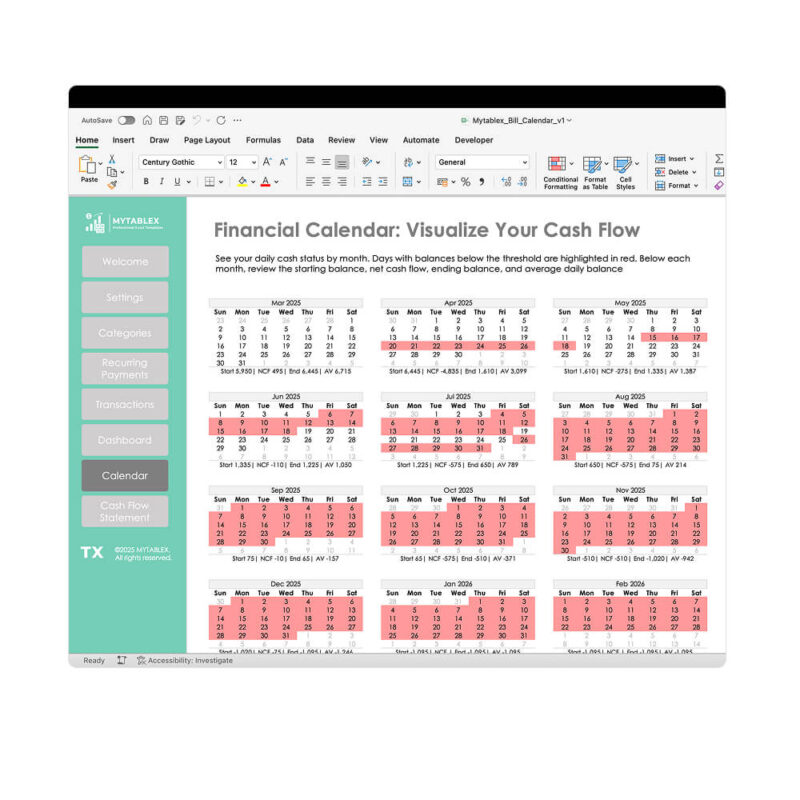

Activate your payment calendar:
- Go to the “Data” tab in Excel.
- Click “Refresh All” to update all tables and visuals with your inputs.
- Explore these key tabs:
- Dashboard: See a summary of your payment plan. View total metrics, starting balance details, weekly forecasts, upcoming cash shortfalls, near-term payments, and a category-wise breakdown.
- Calendar: Check monthly calendars (6×7 grid) with red highlights for days when your balance drops below the minimum. Below each month, review starting balance, net cash flow, ending balance, and average daily balance.
- Cash Flow Statement: Analyze a detailed table with timeline filters to review payment and income flows, customizable to your needs.
Reviews (0)
Only logged in customers who have purchased this product may leave a review.
How to Buy & Download
1. Add Product to Cart
Click the ``Add to Cart`` button. Please note that you can only add this product to your cart once.
2. Fill in Your Contact Details
Provide accurate contact information (name, email and phone number) to ensure we can send you your purchase confirmation and download link.
Important! You can use the promo code STARTNOW for a 25% discount on your first purchase.
3. Choose Your Payment Method & Complete Payment
Select your preferred payment option from those available, and complete the payment process.

4. Download Your Product
After payment, you will be redirected to a page with a download link. The file will also be available for download in your account under ``Downloads`` on our website.
Legal Information
By purchasing this product, you agree to our Terms of Service and Privacy Policy.
File Details
File Details
- Format: Excel (.xlsx)
- File Size: 369 KB
- Version Compatibility: Microsoft Excel 2016 and newer (with Power Query)
- Google Sheets Compatibility: Not compatible
- Password Protection: No password required
- Formula Visibility: All formulas are open and visible
- Macros: No macros included, only formulas
- External Data Connections: None
Support&License
- Technical Support: Available for assistance with using the template
- Usage Rights: For personal or internal company use only, redistribution or resale is prohibited
Reviews
There are no reviews yet.